The Virtual-Augmented Reality Simulator
How do you study something you can't see? We built a VR environment that optically simulates an AR headset, letting us finally isolate and measure calibration errors that are impossible to control on real devices.
The Problem
Augmented Reality headsets create the illusion that virtual objects exist in the physical world. This illusion is critical in domains like surgery, where a surgeon might align a scalpel with a virtual incision line rendered by an AR headset. But here is the challenge: perfect alignment between virtual and real objects is unattainable with current technology. The error comes from many sources: tracking drift, optical distortion, and how well the headset knows where your eyes are.
During my PhD, I kept running into a frustrating limitation. We wanted to understand how specific calibration errors affect a user's ability to align virtual and physical objects, but running these studies on real AR headsets was nearly impossible. You can't confirm what the user actually sees through an optical see-through display. You can't control essential parameters like eye position relative to the display. And you certainly can't isolate one source of error from all the others. Tracking drift, optical distortion, and calibration inaccuracies all compound together.
Meanwhile, researchers who used VR as a stand-in for AR were working with overly optimistic simplifications. A virtual object rendered in VR doesn't suffer from the same optical issues as one seen through a semi-transparent display. These VR-only studies were ignoring the very errors we needed to understand.
Our Solution
We realized that the answer was to build something in between: a Virtual Reality environment that faithfully simulates an optical see-through AR headset, optics and all. Instead of simplifying away the hard parts, we recreated them.
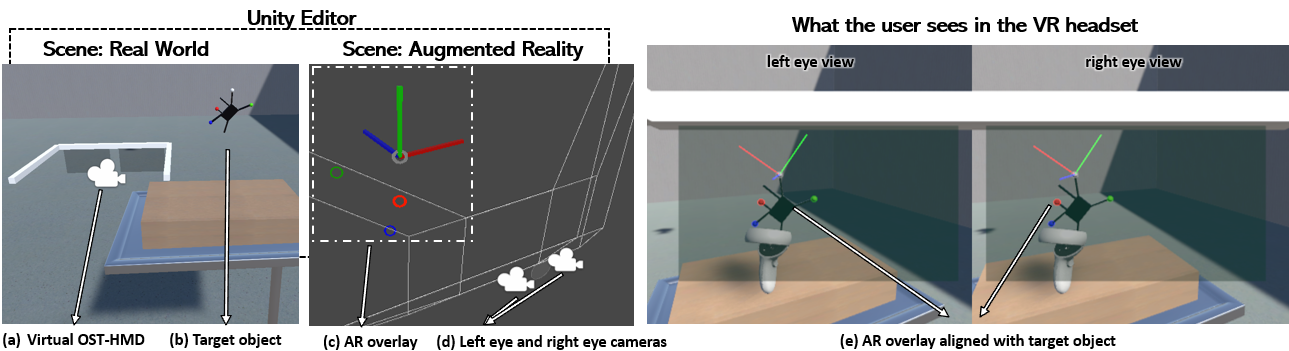
The simulator works by running two separate scenes simultaneously. The first is the "Real World," a standard VR scene with walls, furniture, tracked objects, everything that makes up the physical environment. Inside this scene sits a virtual AR headset with two small displays, one per eye. The second scene is the "Augmented Reality" scene, containing only the AR content. Every frame, the headset's pose is sent from the real-world scene to the AR scene, where two cameras (positioned according to the user's inter-pupillary distance) render what each eye should see. The result is projected onto the virtual headset's displays.
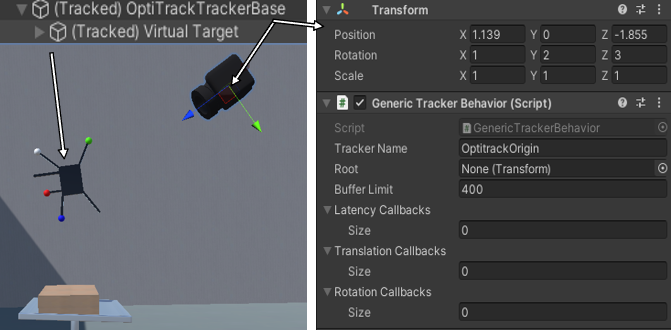
The beauty of this approach is that both the virtual and real worlds are simulated, so we always know ground truth. We know exactly where the user's eyes are, exactly where every object is, and exactly how much error we've introduced. That level of control is simply impossible with a real AR headset.
Key Features
- Virtual Trackers: Customizable tracking simulation with configurable drift (constant, per acceleration, per time-step, or curve-based), Gaussian jitter, and latency models (constant, distance-based, or Gaussian). Developers can also add custom callbacks.
- Locatable Cameras: A virtual version of HoloLens's locatable camera API, letting researchers test computer-vision tracking methods with controllable resolution, field-of-view, and position on the headset.
- Linear Equation Solver: A built-in solver that produces perspective, affine, or orthogonal transformations from point correspondences, covering the core math behind most calibration algorithms.
- Customizable OST-HMD: Full control over display position, rotation, size, resolution, and projection matrix. Post-processing shaders simulate color bleeding, optical distortion, and other display artifacts.
- Template Scenarios: Ready-to-use implementations of three common calibration workflows: 3D-3D alignment, locatable camera with ArUco markers, and 3D-2D calibration (SPAAM).
Measuring the Impact of Calibration Errors
With the simulator in hand, we designed an experiment to answer a question that had been nagging us: how much does a small eye-display calibration error actually matter for users trying to align virtual and physical objects?
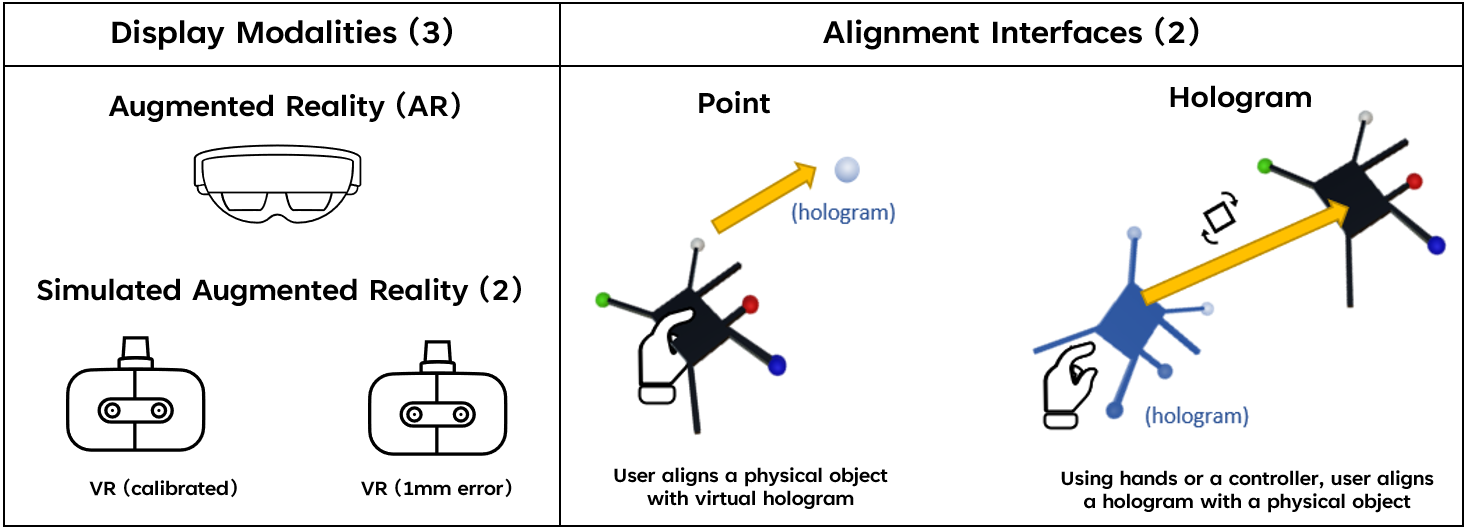
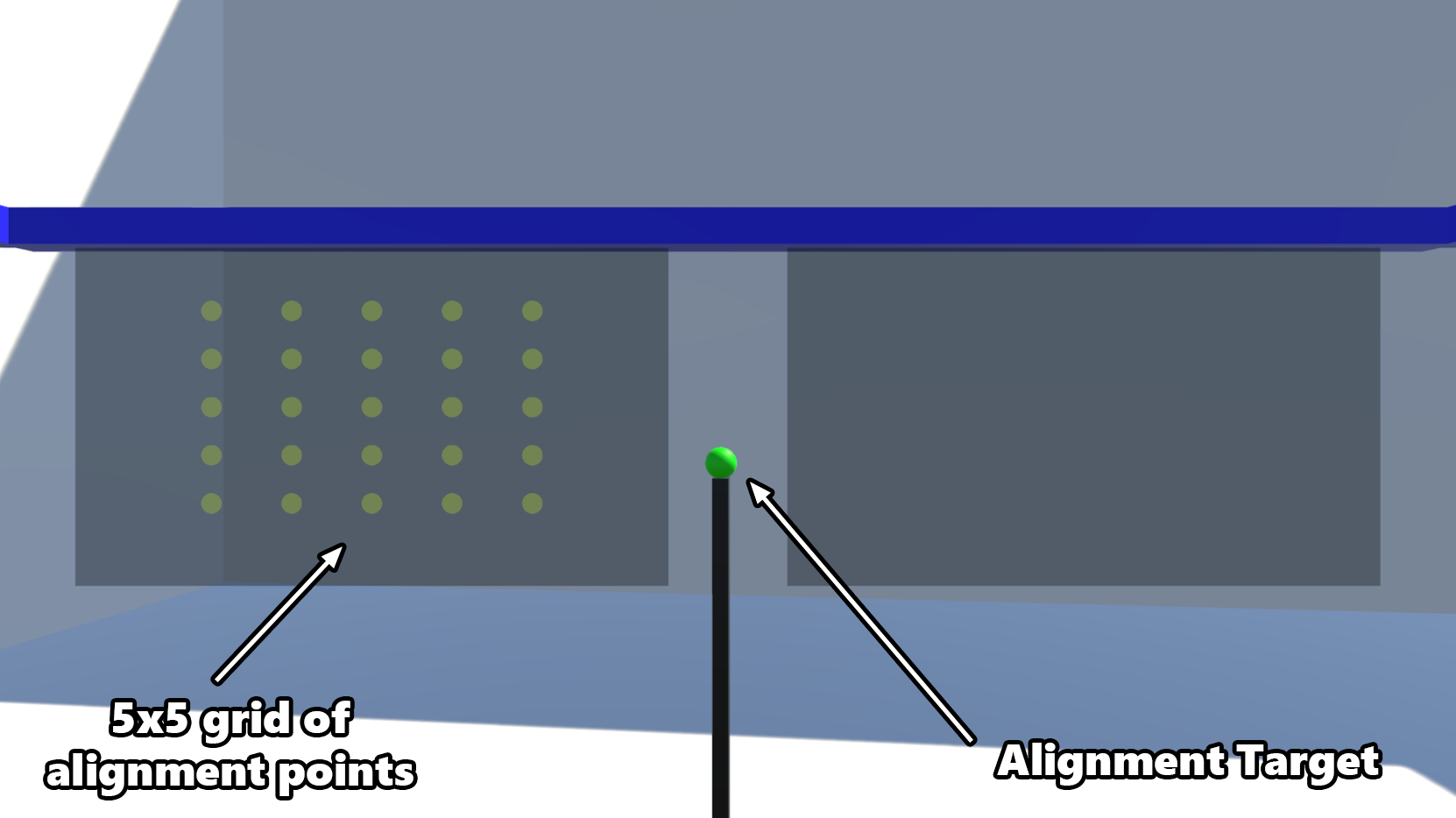
We recruited 12 participants and had each of them perform alignment tasks under three display conditions: a perfectly calibrated simulated AR headset, a simulated AR headset with just 1mm of eye-display calibration error, and a real HoloLens 2. For each display, participants used two alignment interfaces: moving a physical object to match a virtual target (Point), and docking a virtual object onto a physical one (Hologram).
Key Findings
The results were striking. Even a 1mm calibration error, seemingly negligible, nearly doubled the average alignment error compared to the perfectly calibrated condition. Users went from an average of 0.38cm error to 0.75cm for the Point interface, and from 0.27cm to 0.78cm for the Hologram interface.
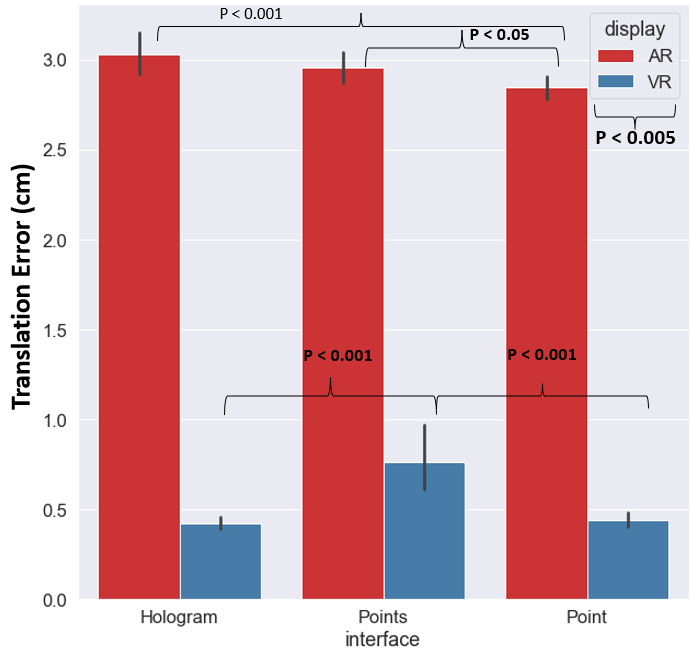
What made this even more interesting was how calibration errors affected the Hologram interface specifically. Under perfect calibration, Hologram was 29% more accurate than Point, exactly what you'd expect, since it lets users refine their alignment. But with just 1mm of error, that advantage completely disappeared. The calibration error nullified the benefit of the more sophisticated interface.
What Users Perceived
Perhaps the most fascinating finding came from watching and interviewing participants. When calibration errors were present, 11 out of 12 participants noticed that virtual objects seemed to "drift" or "sway" as they walked around them. As one participant described it: "I look from one side, and it is in front of the virtual one. I look from the other side; it looks like it is behind."
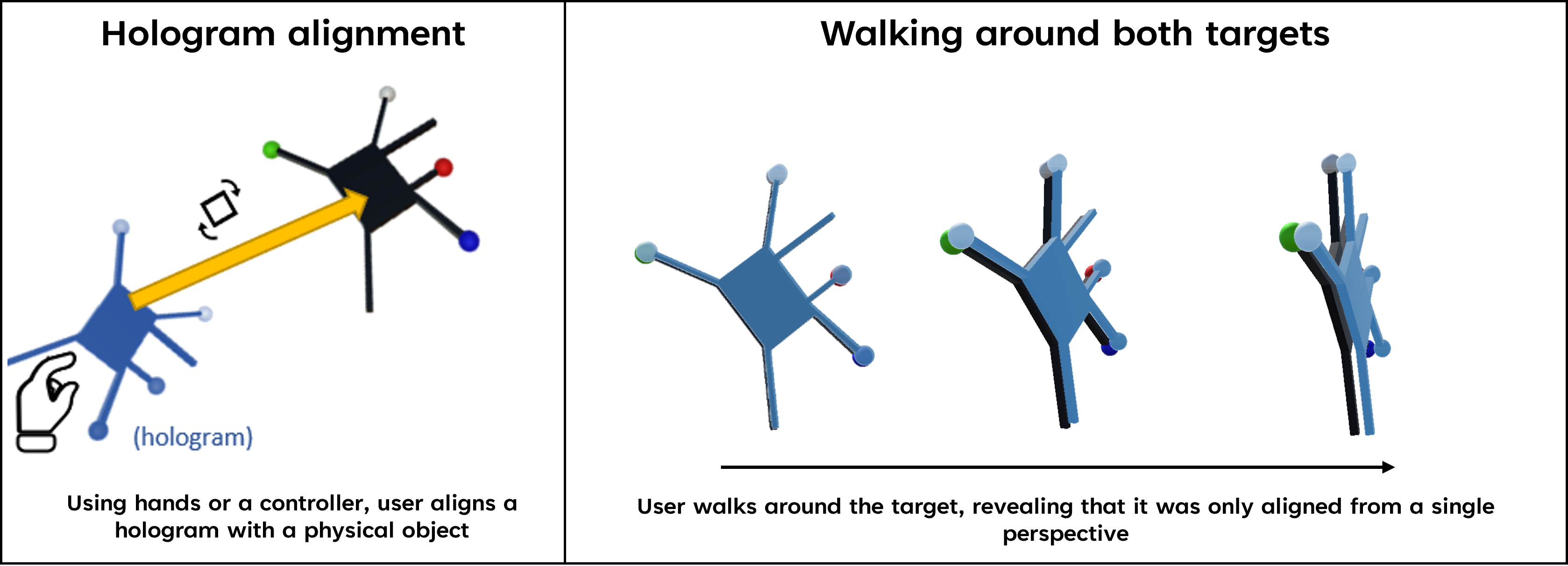
But not a single participant realized that the object would look aligned again if they returned to their original viewpoint. They couldn't diagnose the source of the problem. Some attributed it to tracking issues. Others assumed they were doing something wrong: "I am messing up on axis but I am not understanding how to fix it." This inability to identify the error, combined with the growing frustration of repeated failed attempts, led to significantly higher reported effort, frustration, and a sense of failure on the NASA TLX workload surveys.
Bridging Simulation and Reality
Comparing results between our simulated AR and the real HoloLens 2 revealed both similarities and important differences. The HoloLens showed significantly higher alignment errors (averaging 2.3–2.8cm) compared to both simulated conditions, which we expected given that real headsets introduce additional error sources our simulator intentionally excluded. Participants using HoloLens also reported seeing objects "in double," a vergence-accommodation conflict that doesn't occur in VR simulation.
These discrepancies are not weaknesses; they are precisely the point. By comparing controlled simulation results against real-world performance, we can start to disentangle which specific factors contribute to alignment errors in practice. The simulator gives us the controlled baseline that real AR studies have always lacked.
Publications
Gasques, D., Liu, W., & Weibel, N. (2022). The Virtual-Augmented Reality Simulator: Evaluating OST-HMD AR calibration algorithms in VR. 2022 IEEE Conference on Virtual Reality and 3D User Interfaces Abstracts and Workshops (VRW).
Gasques Rodrigues, D. (2023). Designing for Misalignment in Augmented Reality Displays: Towards a Theory of Contextual Aids. Ph.D. Dissertation, University of California, San Diego.
Team
Danilo Gasques, Ph.D., Weichen Liu, Ph.D., Nadir Weibel, Ph.D.